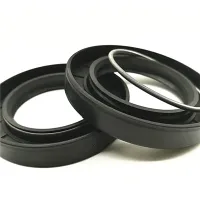
How do I properly install and maintain my thermal imaging camera seals?
Proper installation and maintenance of thermal imaging camera seals is critical to ensuring equipment performance and extending its lifespan. Here are some specific steps and suggestions:
Installation Steps
Preparation
Before installation, read the product manual carefully to understand the function, characteristics, and operation method of the instrument.
Make sure the battery is fully charged or connected to a stable power source.
Cleaning and Inspection
Before installing the seals, use compressed air to remove large particles of dust from the inside and outside of the camera, and then wipe them clean with a clean, soft cloth.
Check that the appearance of the thermal imager is intact and that there are no visible damaged or loose parts. If you find any abnormalities, please contact the after-sales service department immediately for repair or replacement.
Install the seals
Make sure that the seal is exactly the right match to the interface of the thermal imager to avoid damage caused by forced installation.
If the seal is removable, make sure it is installed correctly so that it can be easily removed for maintenance if needed.

Maintenance Method
Clean regularly
Wipe the lens gently with a clean, soft cloth regularly, avoiding using a wet cloth or chemical solvents to prevent damage to the lens coating.
Clean the instrument housing to prevent dust and dirt from entering.
Storage environment
Store in a dry, well-ventilated place away from high temperatures, humidity, and strong magnetic fields.
If not in use for a long time, the battery should be removed and the instrument placed in a special box.
Battery Management
Properly charge and use the battery as required by the instructions.
If it is a replaceable battery, replace the aged or damaged battery in time.
Regular Calibration
To ensure measurement accuracy, calibration is performed regularly according to the frequency of use and the manufacturer's recommendations.
Collision Avoidance
Handle with care and care to avoid strong impacts and vibrations to the instrument.
Software Updates
Pay attention to the manufacturer's official website and update the firmware and supporting software of the instrument in time to get better performance and new features.
By following the steps and recommendations above, you can ensure the proper installation and maintenance of the thermal imaging camera seals, extending the life of the equipment and ensuring the accuracy and reliability of its measurements.